
The settings menu of Box provides access to change which folders and the amount that is populated on your home screen, make changes to the time zone, and change the way your links are shared. You can also make changes to what email notifications you receive from Box. There are many more options to explore.
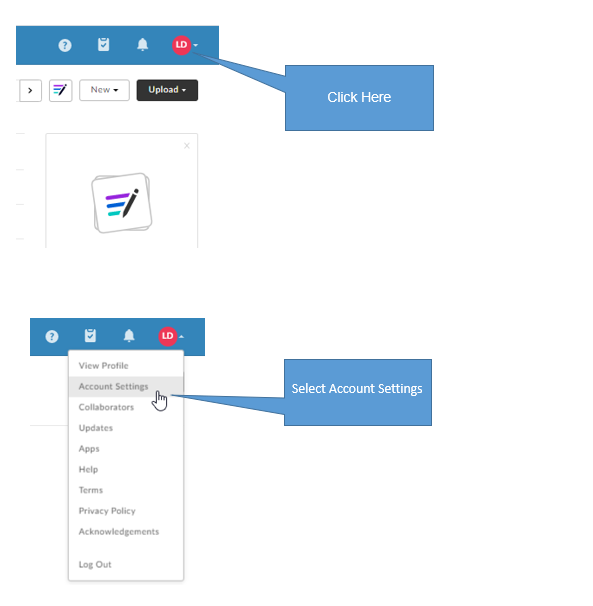
Please follow the below steps to access the Account Settings menu.
To access the Settings menu in Box, follow the below steps.
Once you have entered the Settings menu, you will be greeted by the below screen. I've provided descriptions of useful settings in each section located underneath the photo below.

Account – Change which folders and the amount that is populated on your home screen. Make changes to the time zone.
Sharing – Change the way your links are shared. Make changes to what email notifications you receive from Box.
Security – You can review all devices that you have granted access to Box.
Profile – Change your display name. Add your title. Add your phone.
Diagnostics – Run connection test. Check your public IP
Integrations – View applications linked to Box. Change integration settings
Comments
0 comments
Article is closed for comments.