
The Personal Portal is available to all Campus Apartment employees. The Personal Portal is also what CA uses to archive all of the email that you send and receive.
At this time you can access the portal by clicking here. This will provide you access to reject or release any emails that Mimecast has marked as suspicious. You also have the option to permanently whitelist email addresses and domains. You also have the option to permanently blacklist specific email address and full domains.
Additional Resources: https://community.mimecast.com/s/article/Mimecast-Personal-Portal-User-Guides-1753470085#mailbox
- Pictured below is the home screen of the Welcome Portal. The first page is your Inbox.
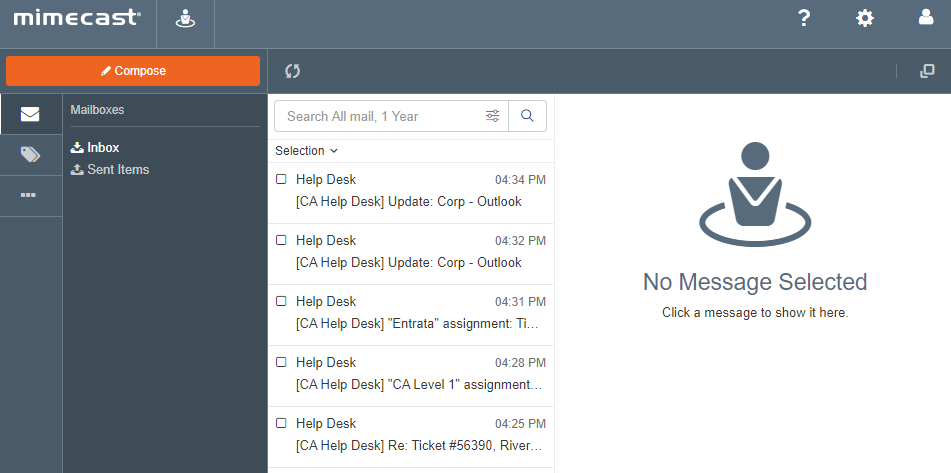
- To access the Advanced Email actions, select the 3 horizontal dots highlighted.

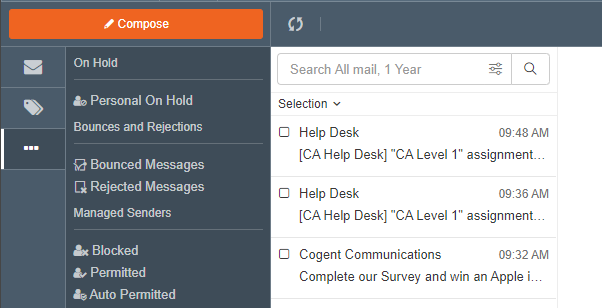
- Once you click the Advanced button, you will see the below screen. All email actions are done through this area.
Comments
0 comments
Article is closed for comments.