
Contact Sharing
All contact sharing must be done through Kerio Webmail. Simply log into your Okta, then select the chiclet for Kerio Webmail.
- Once Kerio loads fully, click on Contacts

- Once Contacts fully loads, hover over the far right side of My Contacts to get the drop down arrow
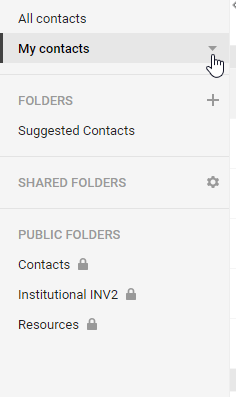
- Once you click the drop down arrow, select Sharing
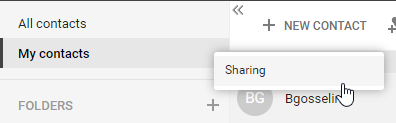
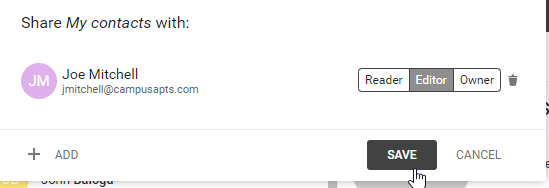
- Once the Sharing screen full loads, click the Add button
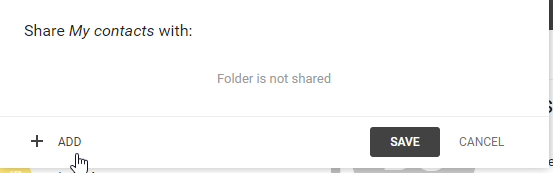
- Once the Add screen full loads, type in the intended target you would like to share your Contacts list with
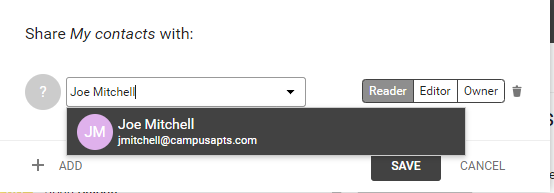
- Once you have selected your intended target, select the permission you wish to give them.
Reader - Users can only see the items.
Editor - Users can add, delete, and edit items.
Owner - Users can set sharing as well as add, delete and edit items.
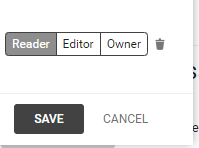
- Once your permissions are set, hit Save.
Comments
0 comments
Article is closed for comments.